Wallet Inspector Page
Learn how to use the Wallet Inspector to check token balances across different blockchains.
Wallet Inspector
The Wallet Inspector gives you the power to look up the portfolio balance of any Ethereum compatible wallet address across multiple networks simultaneously. This tool is perfect for tracking whale movements, auditing addresses, or simply checking balances on chains you might not have added to your main profile.
Key Features
- Multi-Chain Support: Query balances from Ethereum Mainnet, Ethereum Sepolia, Optimism, Polymer, and more.
- Custom Chain Selection: Toggle specific networks to query only what you need.
- Detailed Token Data: View token counts and metadata for each holding.
- Token Filtering: Automatically filters out zero-balance tokens for a cleaner view.
How to Inspect a Wallet
Follow these steps to inspect an address:
- Navigate to the Wallet Inspector page from the sidebar.
- Locate the Wallet Address input field.
- Enter a valid Ethereum address (must start with
0xand be 42 characters long).Note: If the address format is incorrect, the search will not proceed.
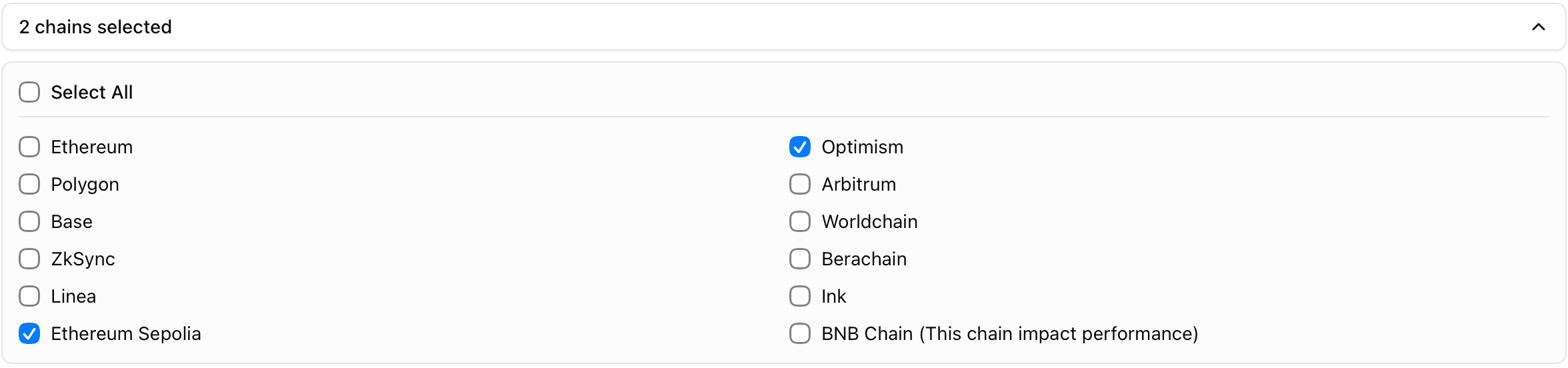
- Customize your search by selecting specific blockchains:
- Click Select Chains to expand the list.
- Check or uncheck the networks you wish to query (e.g., Ethereum Sepolia, OP Mainnet).
- Use Select All to check all available networks at once.
- Click the Search button (magnifying glass icon).
- Wait for the loading indicator to finish.
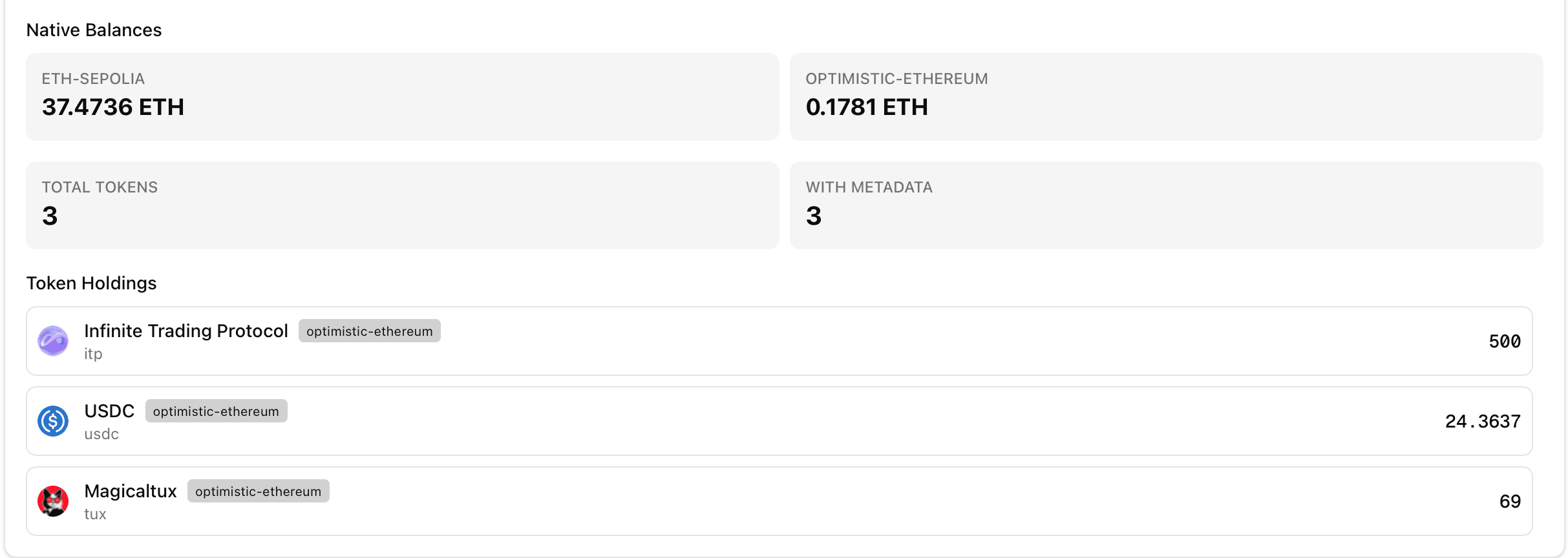
- Review the Results:
- The dashboard will display a list of tokens found on the inspected address.
- You will see the total number of tokens found and how many have metadata available.
Troubleshooting
- Invalid Address Error: Ensure the address you pasted is a valid Ethereum address starting with
0x. - No Balances Found: It's possible the address has no funds on the selected networks. Try selecting more chains.
- Network Error: If the search fails, check your internet connection and try again.